Effortlessly encrypt, decrypt, unlock, and lock BitLocker drives on Windows PCs without hassle.
Fast-encrypt internal hard drives, USB flash drives, and external disks with strong BitLocker protection.
Quickly unlock BitLocker-protected drives using your original password or the 48-digit recovery key.
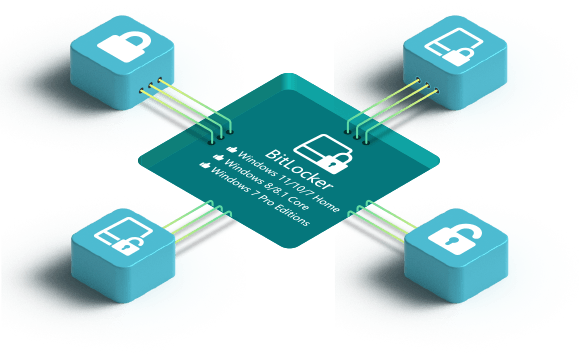
You can use BitLocker on even Windows 11/10/7 Home & Windows 8/8.1 Core & Windows 7 Pro Editions.

This volume encryption software protects the target drive with powerful BitLocker encryption and enables the encrypted disk to be opened only by entering the correct password or recovery key. In this way, your partition data can be effectively prevented from leakage/unauthorized access/being stolen.
There are several smart functions for you to conveniently manage the BitLocker drive: Turn on BitLocker, Turn off BitLocker, Lock and Unlock the Drive. All functions work smoothly on Windows 11/10/7 Home & Windows 8/8.1 Core & Windows 7 Pro editions.

Windows Supported:
Device Supported:
Disk Space:
RAM:
Can I download BitLocker for Windows 11/10 Home?
No, BitLocker is not supported on Windows 11/10 Home edition. But you can download iSunshare BitLocker Genius for Windows to enable BitLocker on Windows 11/10 Home.How do I encrypt a drive in Windows 11/10 Home?
Download iSunshare BitLocker Genius for Windows and you can easily lock a drive in Windows 11/10 Home within clicks.Does this tool work on encrypting the USB flash drive with BitLocker?
Yes, it can BitLocker encrypt the internal disk like hard drives and removal devices including USB drives, etc.Can I only encrypt the used space of the disk?
Yes, 2 modes are provided for you to encrypt the Windows drive: only encrypt used space or encrypt the entire disk.If I forgot the BitLocker password, how can I turn off BitLocker for the encrypted drive?
You can find the BitLocker recovery key to turn off the BitLocker encryption. Or you can try iSunshare UBitkey to recover the BitLocker password.


Copy, backup and restore the Windows OS, single partition or entire hard disk.
Learn More