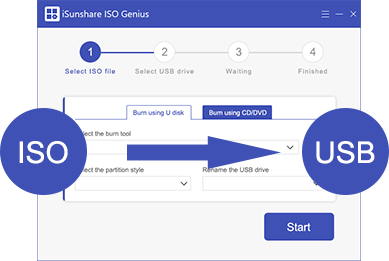
All-in-One ISO Image Creator, Burner & Extractor

Seamlessly burn, extract, create, and Copy ISO image files for bootable USBs and optical discs.

  • iso image burning

    ISO Image Burning

    Burn ISO files directly to USB flash drives, CDs, or DVDs to create bootable installation media in minutes.

  • fast ios content extraction

    Fast ISO Content Extraction

    Easily unpack and extract specific files or entire folders from ISO images without mounting virtual drives.

  • custom iso image creation

    Custom ISO Image Creation

    Convert local files, folders, and software installation packages into standard, high-compatibility ISO format.

safely protect USB data

Quickly Burn ISO File to USB Drives

Within clicks, you can quickly make bootable USB drives from Windows and Linux ISO image so you can use it to install an operating systems or rescue some computer system failure.

Extract or Create an ISO file in Minutes

iSunshare ISO Genius lets you quickly and simply extract the contents you want to access inside the ISO image file to your desired location. Besides, it is easy to add files/folders to create ISO images on your computer.

mount encrypted USB to a virtual drive while unlocking
SafeUSB Genius function

Easily Make ISO File from CD/DVD Discs

It can be very easy to create an ISO file by reading the data from CD/DVD and then converting it to an ISO image, all data stored on the CD/DVD can be copied in seconds.

Tech Specifications

Operation System Supported

  • Windows 7 and later version (32 bit & 64 bit)

Supported Devices:

  • USB flash drives, thumb drives, pen drives, memory cards, etc.

Memory:

  • 512MB at minimum

Disk Space:

  • 30MB is available.

Frequently Asked Questions on ISO Burner

We Promise

gurantee
promise
promise

Our Customers Are Also Using:

SafeUSB Genius

SafeUSB Genius

Powerful USB encryption software for Windows users.

Learn More
WinToGo Genius

WinToGo Genius

Create portable Windows on USB drive within simple clicks

Learn More