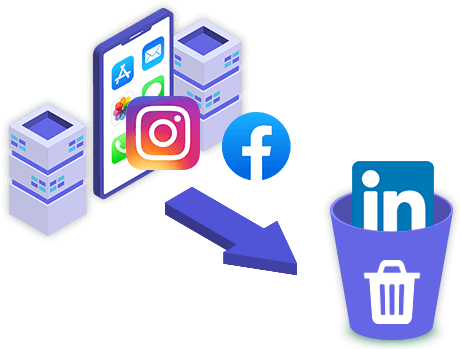
The smart, automated iOS cleaner to wipe junk files, clear caches, and reclaim valuable storage space.
Scan and wipe hidden app caches, temporary files, and log data to instantly boost system speed.
Recover gigabytes of storage space with a single click without touching your critical user files.
Identify and manage forgotten large videos and heavy attachments taking up space on your device.
Safely scan, list and uninstall third-party apps from iPhone/iPad to speed up the devices.
You can classify, preview, export and delete the photos on your iPhone/iPad to free up space.
Fully compatible with all iPhone, iPad, and iPod touch models running the latest iOS.

Within clicks, you can know how many space you can release by cleaning the crash logs, corrupted files, download file caches, recording files. iDevice Genius can help you to detect and clear both such junk files completely.
There are a great number of photos on your iPhone, which occupy your iPhone storage space. You can export the photos to your computer or other external device for data backup. Besides, it is easy for you to preview and delete the unwanted photos from iPhone in this software.
As for the large files, iDevice Genius can help to scan and detect the large files, such as videos, which exceeds 5MB on your iPhone. You can selectively back up those important files to the computer and delete the unwanted files to free up space.


If you have installed third-party apps and did not use it for a long time, you can remove it from your iPhone to optimize iPhone performance. iDevice Genius can help to quickly scan and list apps which you can uninstall within a simple click.
OS Supported:
Supported Devices:
Processor:
Disk Space:
Will my photos disappear after using iDevice Genius?
You can export the photos before cleaning it from your iPhone. In this way, you create a backup of the photos if you delete the photos by mistake.What should I delete to free up space?
With iSunshare iDevice Genius, you can clear crash logs, pictures, and large files, download failure caches, and voice memos to free up space. At the same time, you can uninstall the unused apps to get more space.Can I preview the photos before deleting them?
Yes, you can double click to preview the photos. Besides, you can export the photos to your computer for backup.What do you mean by large files?
iDevice Genius can help you to scan and find out all large files which exceed 5MB on your iPhone, such as videos.If I delete the photos with your software by mistake, is it possible to retrieve it?
It depends. If you have already exported the photos to your computer or created a backup of the iPhone, you can restore it via iTunes. If there is no backup for the photos, you can never find it back.