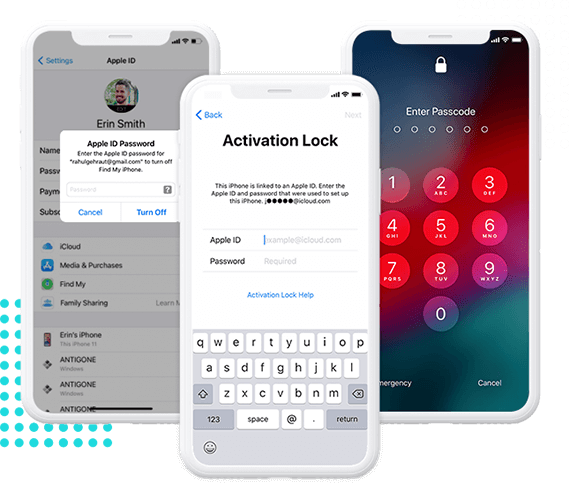
The ultimate solution to unlock iCloud-locked iOS devices without passwords or previous owner credentials.
Easily remove the Activation Lock screen on iPhone/iPad without needing Apple ID credentials.
Stop the previous owner from remotely tracking, wiping, or relocking your iOS device again.
Support various iOS versions and device models with step-by-step guidance for high success rates.

Buy a second-hand iPhone with the activation lock but do not know how to unlock it for use? Or forgot your Apple ID password to unlock your iPad with the activation lock? Don't worry! iSunshare iBypass Genius can help you out. It can unlock your activation locked iDevice without the Apple ID or password by bypassing the iCloud lock.
Please Note:
1. After bypassing the iCloud activation lock, several functions on your iDevice might be unusable, such as phone calls, Cellular and iCloud of your new Apple ID.
2. If you reset your iDevice or update its system after iCloud lock bypassing, your device will be re-locked. However, it's available to use iSunshare iBypass Genius to remove the activation lock again.
3. iOS jailbreak is needed for iCloud activation lock removal.
Forgot your Apple ID password or even you don't know the Apple ID password of your iPhone because it's linked with its previous owner ID? You can use iSunshare iBypass Genius at this time. iSunshare iBypass Genius enables you to turn off Find My on your iOS device without the Apple ID password.
Please Note:
You need to jailbreak your iPhone/iPad/iPod touch before you disable its FMI function.

Supported Devices:
Supported OS:
RAM:
Disk Space:
Will jailbreak erase my iPhone data?
No, worries not. iOS jailbreak will not cause data loss on your iPhone/iPad/iPod touch. But if you fail after several attempts, you can erase all data and try again with iBypass Genius.What can I do if my iPhone is locked with the activation lock again after iOS update?
If you update iOS or reset your iPhone/iPad/iPod touch after iCloud activation lock bypassing, your device will be re-locked. At this time, you can use iSunshare iBypass Genius to bypass the iCloud lock again.Can I stop the iCloud activation lock bypassing process?
No. Once iBypass Genius starts bypassing the activation lock or turning off FMI on your device, you cannot exit the program and disconnect the device from the computer. Otherwise, your device could be bricked.The software stuck on the jailbreaking interface, what to do?
You need to close the software and then connect the iPhone to your computer with another USB cable or insert the USB cable to another port.When do I need to check the option Create Fakefs option?
Generally, this option is checked by default as most people are jailbreaking the iPhone for the first time. You need to check this option in the following situations: