logo
Windows 10 Show Windows Opened on All Desktops or Desktop Using on Taskbar

Show Windows Opened on All Desktops or Desktop Using on Taskbar

By Hally | Last Updated

In Windows 10 computer, you can show windows opened on the desktop using or all desktops including virtual desktops on the taskbar, following the instruction below.

Steps to show or view all open windows on taskbar

Step 1: Enter Settings by searching.

Step 2: Open System.

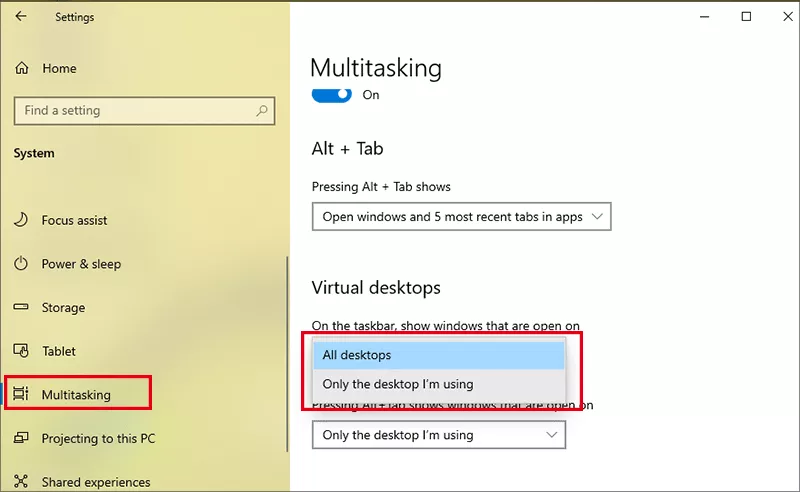
Step 3: Choose Multitasking, go to Virtual Desktop section, click the down arrow button under On the taskbar,show windows that are open on, and select All desktops or Only the desktop I'm using.

choose show windows option

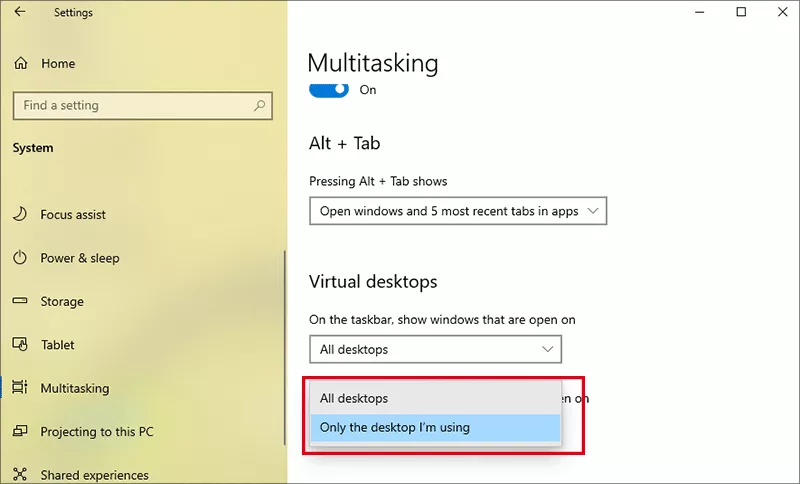
If you want to enable the Alt + Tab keys, click the item under Pressing Alt+Tab shows windows that are open on and select All desktops or Only the desktop I'm using.

choose Alt Tab option

Related Articles: