We use cookies for personalizing content and ads and providing social media features. Your usage information on our website will be used for social media, advertising, and traffic analytics, or shared with our partners. Clicking "Accept" means you agree to use our cookies .
Factory Reset Protection (FRP) is a security feature on Android devices (including the Samsung J5 Prime) that asks for the Google account username and password previously used on the phone after a factory reset. If you've forgotten your account details or get a second-hand Samsung phone, follow the steps below to bypass Samsung J5/J5 Prime FRP with or without PC.
Part 1: The Easiest Way to Bypass Samsung J5 Prime FRP with PC
Is it possible to get rid of the Samsung J5 Prime FRP lock when you forgot the Google credentials? Yes, of course. In case of your Samsung phone got bricked, you can use iSunshare Android Password Genius to bypass the FRP lock with Windows or Mac computer. With this FRP unlock tool, you can easily bypass FRP lock on Samsung phone without Google account.
iSunshare Android Password Genius offers the professional solutions to unlock Google lock on Samsung, Vivo, Xiaomi and Redmi phones. And the below method can also apply to Samsung J2, J4, J6, J7, J250, Samsung S and Z series phones.
iSunshare Reliable Android Unlocker
Get rid of Samsung FRP lock screen in simple clicks.
Bypass Google account verification without login credentials.
Work on almost all Samsung models and Android OS.
With no requirement on technical skills, easy to use.
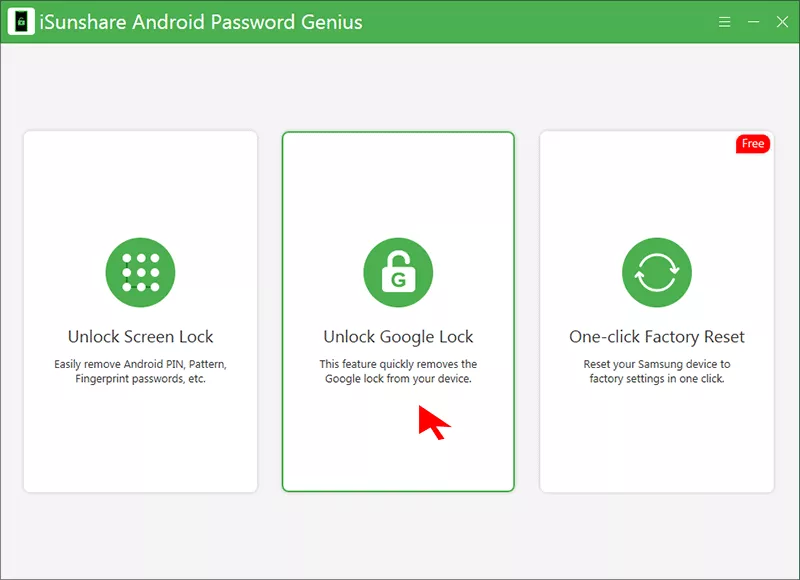
Step 1: Get iSunshare Android Password Genius on your computer. After that, open the software and select Unlock Google Lock option to move ahead.
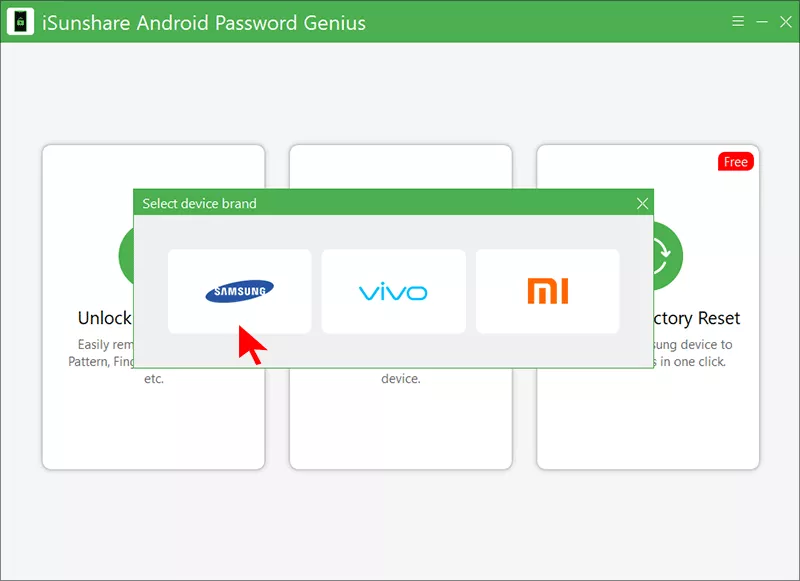
Step 2: Next, select the Samsung option on the prompt. Connect your Samsung phone to the computer and hit the Start button on the next screen.
Step 3: Now, check the option for your OS version. The first option for All Android Versions can be applied to most Samsung models. Tick the option and click the Next button.
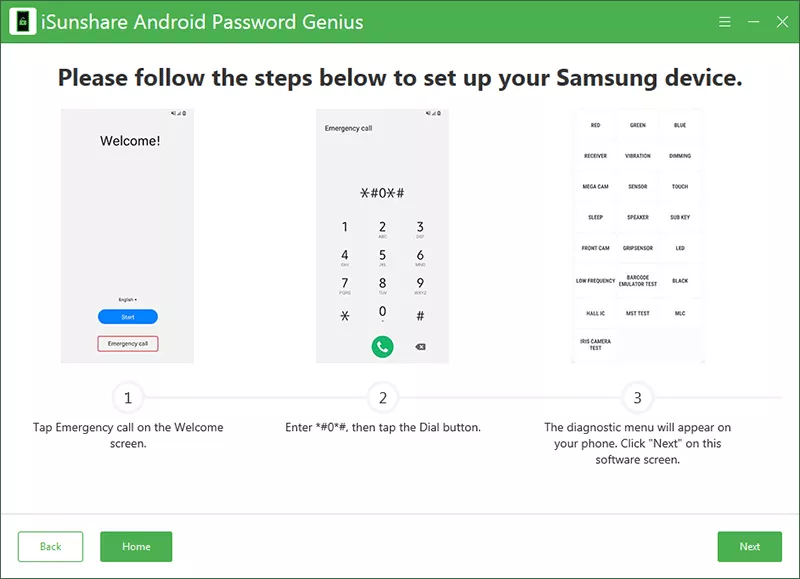
Step 4: Follow the onscreen instructions to configure your Samsung phone.
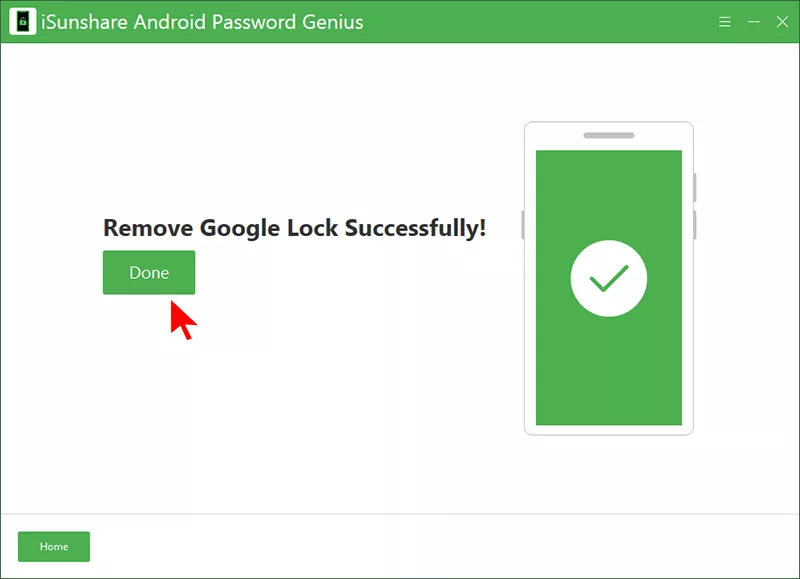
Step 5: Soon, the FRP lock is removed from your Samsung device.
Part 2: Samsung J5 Prime FRP Bypass without PC
Can you bypass Samsung J5/J5 Prime FRP lock without PC? Someone said the talkback not working on Samsung FRP bypass. Yes, Talkback is not a good choice to unlock Samsung FRP lock without PC. Thus, what can you do to regain access to your Samsung phone? The following methods might help you.
Method 1: Try Google Account Recovery
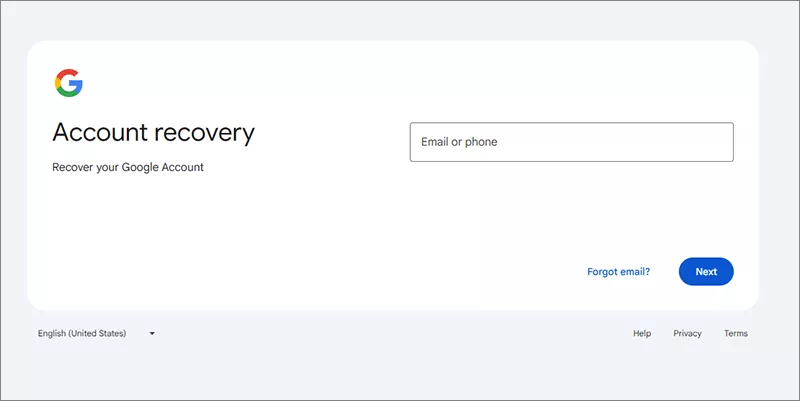
If the Samsung phone belongs to you and you forgot the email or password, it is recommended to recover the Google account with other mobile devices.
Step 2: Enter the phone number or recovery email linked to your Google Account.
Step 3: Follow the on-screen steps to reset your password. You might get a verification code via SMS/email. Sometimes, it is required to answer the security questions.
Step 4: After the Google account password is successfully reset, wait 24-72 hours before trying to sign in on the Samsung phone because Google might block immediate use of the account.
Method 2: Contact the Seller If the Phone is Second-hand
If you bought the Samsung phone used and it is FRP locked, it is better to contact the seller and ask them to remove their Google account from the phone. Otherwise, without the login details, you cannot unlock the Samsung phone and gain the full control of it.
Part 3: FAQs on Samsung J5 Prime FRP Bypass
1. How many attempts can I try to unlock FRP on Samsung J5 Prime?
There's no strict limit on attempts, but entering the wrong Google account multiple times won't help. You must use the exact account that was synced before the reset, or remove it with Samsung FRP unlock tool.
2. Can I unlock Samsung J5 Prime without a Google account?
Yes, you can. iSunshare Android Password Genius can help to unlock Samsung J5 Prime without Google account.
3. How long does FRP lock last?
FRP doesn't expire automatically. The phone will stay locked until the correct Google account credentials are entered.
Conclusion
Encounter the Google Verify your account screen and forget the login details? Here you can find the practical way to bypass Samsung FRP lock. iSunshare Android Password Genius is used here as the FRP remove tool to unlock the FRP lock on Samsung J5 Prime at ease.