We use cookies for personalizing content and ads and providing social media features. Your usage information on our website will be used for social media, advertising, and traffic analytics, or shared with our partners. Clicking "Accept" means you agree to use our cookies .
MDMPatcher Enhanced is a free, open-source tool that patches MDM (Mobile Device Management) configuration profiles on supported iPhones and iPads. Before you download anything, this review walks through what it actually does, which devices and iOS versions it supports, how safe it is to run, and what to do if it fails to detect your device or doesn't work on your iOS version.
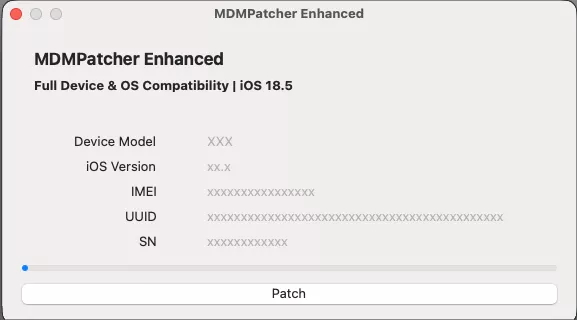
MDMPatcher Enhanced is a community-maintained, open-source utility (written in C) that patches the MDM configuration on a connected iOS device, rather than guessing a passcode or wiping the device. It is distributed on GitHub and is built specifically for macOS.
Supported Devices and iOS Versions
Device range: iPhone 5s through iPhone 16, plus current iPad models
iOS/iPadOS range: iOS 15 up to iOS 18.5 and some later point releases
Platform: macOS only — it is not a standard Windows tool, which is the most common reason people report it "not detecting" their device
If you're specifically searching for MDMPatcher Enhanced for iOS 27 support, treat that as unconfirmed: the tool's own repository does not list iOS 27 in its documented compatibility range at the time of writing, so check the project's GitHub issues and release notes yourself before relying on it for a device running the newest iOS release.
Part 2: Is MDMPatcher Enhanced Safe?
MDMPatcher Enhanced is not malware, and it is free and open-source, which means its code can be inspected by anyone. That said, it is not an Apple-sanctioned tool, so a few caveats apply before you use it:
• Download only from the official GitHub repository — third-party mirrors of MDM tools are a common place for bundled adware or fake installers.
• The developer makes no guarantee of safety, compatibility, or continued support, and the project's last update was roughly 10 months old at review time, so newer iOS versions may not be covered.
• It works directly with your device's management configuration, so a failed or interrupted patch can leave the device in an inconsistent state — always keep the device connected and powered throughout the process.
Part 3: Try Non-Destructive, Official Options First
Before turning to any third-party patcher, rule out the methods Apple provides, since they carry no risk of an interrupted patch:
Check Settings > General > VPN & Device Management on the iPhone or iPad. If a "Remove Management" option is present, your device isn't supervised and you can remove the profile yourself in a few taps.
If you're the device owner and know the Apple ID and passcode, use Settings to sign out and erase the device, then set it up as new — this clears MDM along with everything else, so only do this if you've backed up what you need.
If the device belongs to a school or company, ask the IT administrator to release it from their MDM server directly. This is the cleanest and fastest option when it's available.
If none of those options are available — most often because the device is supervised and locked out, or the administrator is unreachable — a dedicated bypass tool is the practical next step.
Part 4: Benefits and Drawbacks of MDMPatcher Enhanced
Here you can check the benefits and drawbacks of MDMPatcher Enhanced. Thus, you can decide whether to use it or not.
Benefits
Drawbacks
✓ Completely free and open-source, with code anyone can review
✗ macOS only, so Windows users cannot run it at all
✓ No account sign-up or license purchase required
✗ Coverage depends on volunteer maintenance, so brand-new iOS versions — including iOS 27 — are not confirmed as supported
✓ Works directly with the device's MDM configuration rather than a full erase, so other data and settings are left alone
✗ No official support channel — troubleshooting relies on community GitHub issues
✗ As a manual, command-based patch, it has a steeper learning curve for non-technical users
Part 5: MDMPatcher Alternative for Windows and Mac
Because MDMPatcher Enhanced's documented compatibility list doesn't confirm iOS 27 support, iSunshare iPhone Passcode Genius is the recommended alternative specifically for bypassing MDM on devices running iOS 27.
It's a Windows- and Mac-compatible tool built to remove or bypass MDM without needing the management username and password, and it isn't limited to macOS the way MDMPatcher Enhanced is — which also solves the most common complaint in this review (MDMPatcher Enhanced not detecting a device on Windows).
Step 1: Download, install, and launch iSunshare iPhone Passcode Genius on your Windows or Mac computer.
Step 2: Connect your iPhone or iPad with a cable and wait for the software to detect it.
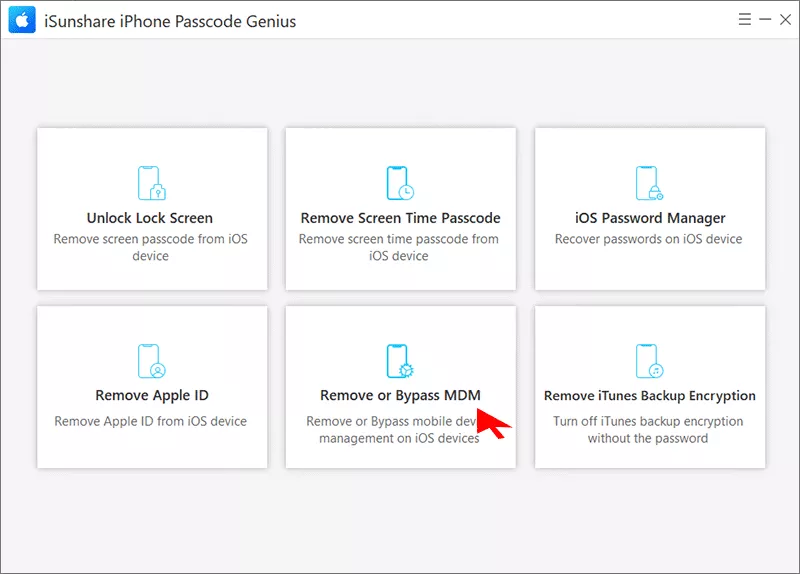
Step 3: Select the "Remove or Bypass MDM" feature on the main interface.
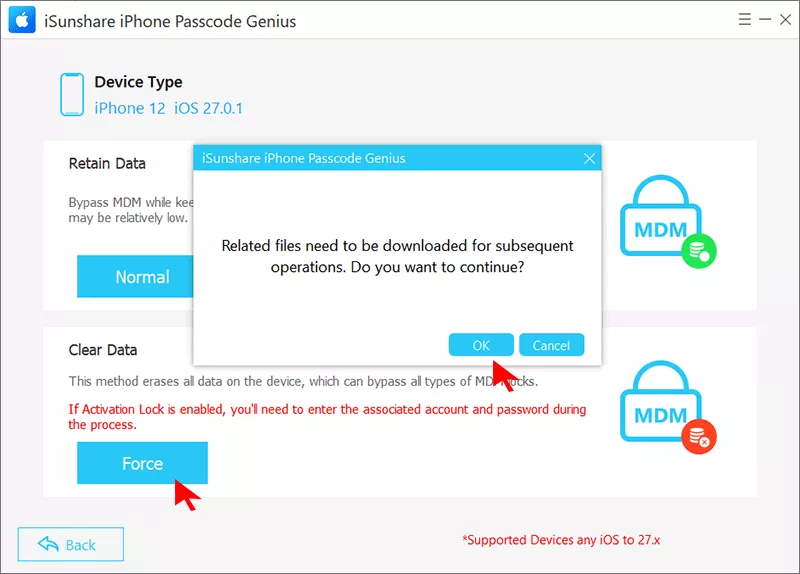
Step 4: To remove MDM lock on iOS 27, click "Force" and confirm to continue on the prompt.
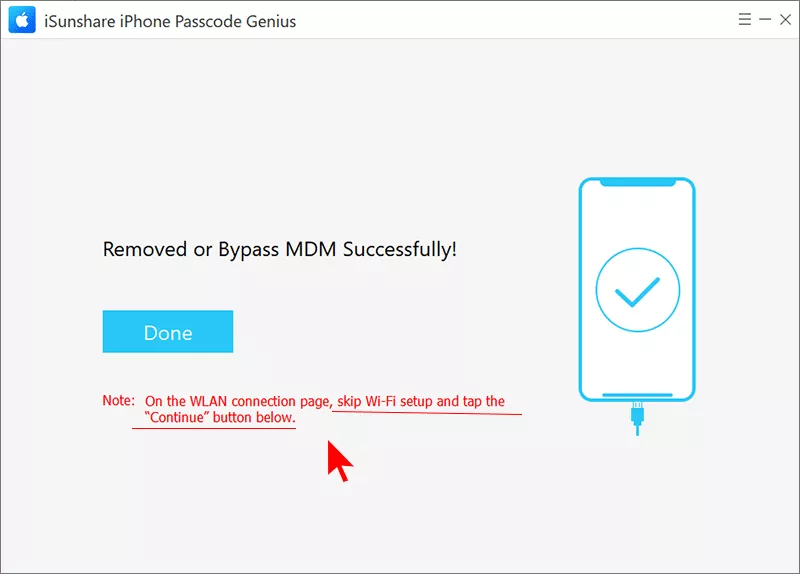
Step 5: Follow the prompt to bypass the MDM lock. Once finished, the device restarts automatically with the MDM restriction removed.
Part 6: Common Problems and Fixes
What if you encounter the issues, such as MDMPatcher Enhanced not detecting iPhone? How can you fix it? You can find details below.
Problem
Likely Cause
Fix
MDMPatcher Enhanced not detecting iPhone
Running on Windows, or a loose/incompatible cable
Use a Mac, or switch to a cross-platform tool like iSunshare iPhone Passcode Genius.
Patch fails partway through
Device disconnected or app closed mid-process
Reconnect the device, restart the process, and don't unplug the cable or close the app.
Tool doesn't support iOS 27
Open-source project hasn't added support yet
Check the GitHub repo's latest release notes, or use a commercially maintained tool instead.
Device still shows MDM after patching
Patch didn't apply cleanly, or device needs a restart
Restart the device manually and recheck Settings > General > VPN & Device Management.
Part 7: FAQs on MDMPatcher Enhanced
Q1: Is MDMPatcher Enhanced free?
Yes. It's distributed as a free, open-source project, but it should only be downloaded from its official GitHub repository to avoid repackaged, unsafe copies.
Q2: Why isn't MDMPatcher Enhanced detecting my iPhone?
The most common reason is that it's primarily built for macOS, so it won't reliably work as a standard Windows tool. A cable or port issue is the next most common cause.
Q3: What's the best alternative for bypassing MDM on iOS 27?
Since MDMPatcher Enhanced's compatibility list doesn't confirm iOS 27 support, iSunshare iPhone Passcode Genius is the recommended alternative for that specific case. It removes or bypasses MDM without credentials on both Windows and Mac, and is backed by regular updates and official support.
Conclusion
MDMPatcher Enhanced is a legitimate, free option for patching MDM on supported Macs, but its Mac-only reach and unconfirmed iOS 27 support limit who it actually works for. If you’re on Windows or on iOS 27, iSunshare iPhone Passcode Genius covers that gap with a guided, cross-platform process and ongoing support. Whichever route you choose, only use it on a device you own or are authorized to manage.