By Jennifer | Last Updated
Use the following two methods to enable Caret Browsing in Microsoft Edge on Windows 10 computer.
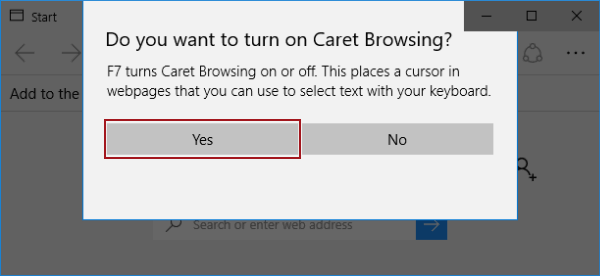
When Microsoft Edge is on, press F7 on the keyboard, and then choose Yes on the screen.

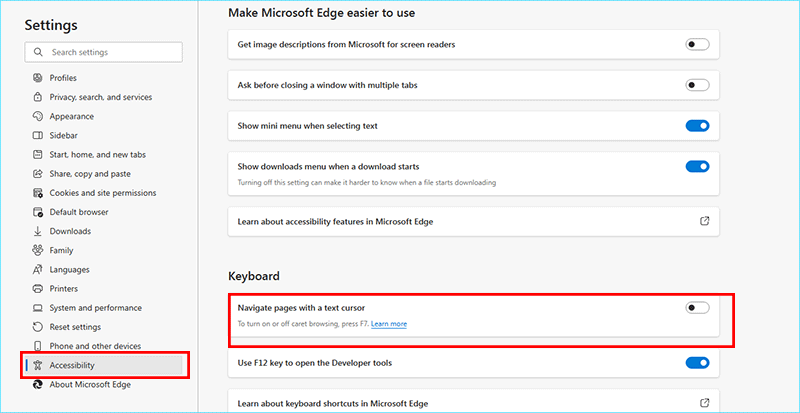
Step 1: In Microsoft Edge, click the top-right More actions icon and tap Settings in the options.
Step 2: On the Setting screen, choose Accessibility on the left side.
Step 3: Find Keyboard section on the right panel, and then turn on Navigate pages with a text cursor. After that, the caret browsing is enabled.

Related Articles:
How to Reset Windows 10 Forgotten Password
How to Bypass Windows 10 Password Login with/without Password
Easy Guide to Reset Windows 10 Admin Password Like an Expert
4 Tips to Change Windows 10 Password without Knowing Current Password
Can't Sign into Microsoft Account Windows 10 | Account Locked/Blocked