By Michael | Last Updated
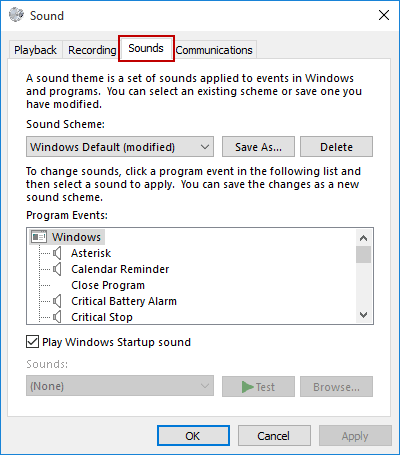
To access the Sounds settings (see the following pic.) on Windows 10 computer, you can use the three methods illustrated below.

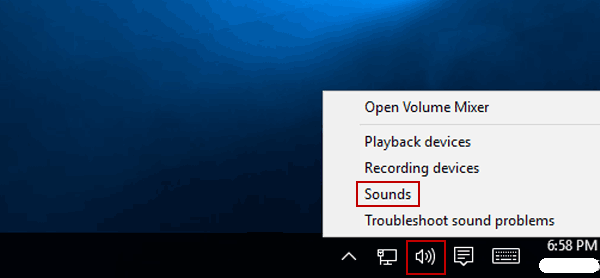
Right-click the Volume button on taskbar, and then choose Sounds in the menu.

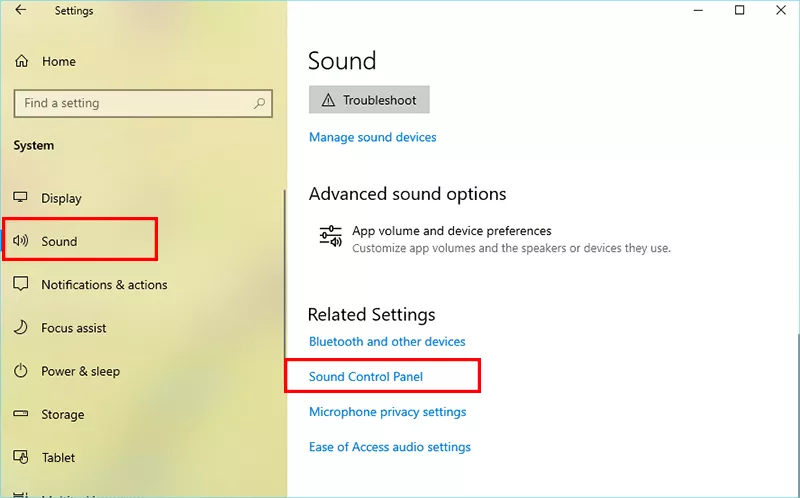
Step 1: Access PC settings and click System option.
Step 2: Click Sound on the left side. Then go to click Sound Control Panel on the right to reach the old-style interface, if needed. After that, you can customize the sound related settings.

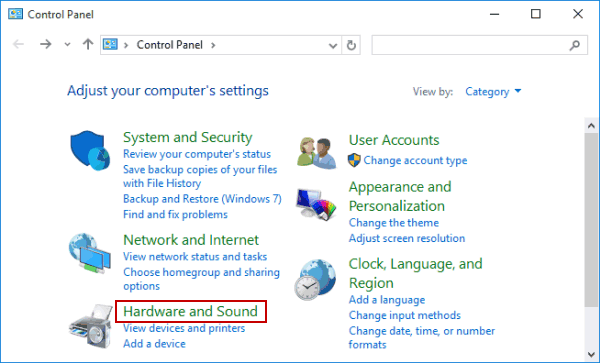
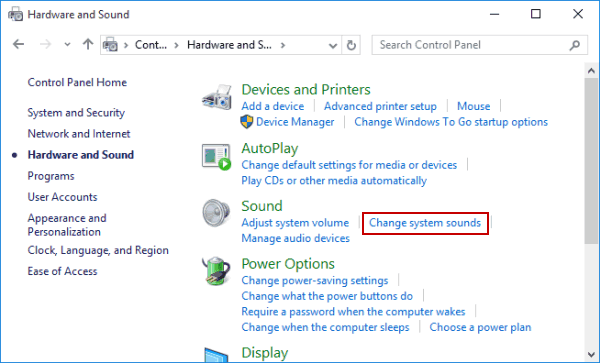
Step 1: Get into Control Panel.
Step 2: Tap Hardware and Sound to continue.

Step 3: Hit Change system sounds under Sound.

Related Articles:
How to Reset Windows 10 Forgotten Password
How to Bypass Windows 10 Password Login with/without Password
Easy Guide to Reset Windows 10 Admin Password Like an Expert
4 Tips to Change Windows 10 Password without Knowing Current Password
Can't Sign into Microsoft Account Windows 10 | Account Locked/Blocked