We use cookies for personalizing content and ads and providing social media features. Your usage information on our website will be used for social media, advertising, and traffic analytics, or shared with our partners. Clicking "Accept" means you agree to use our cookies .
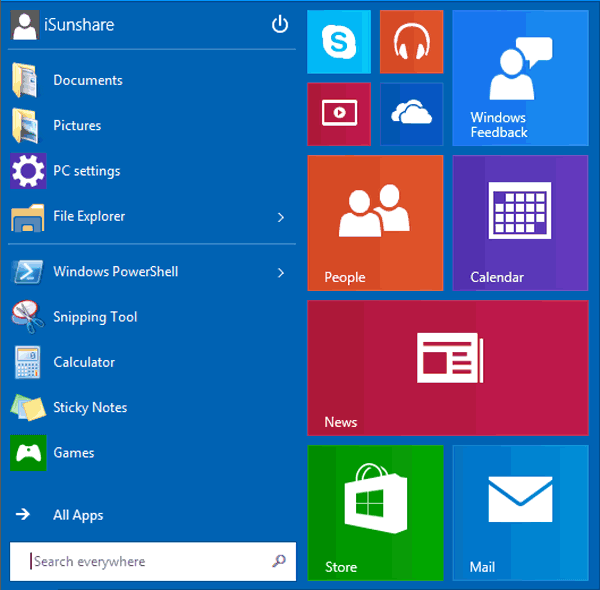
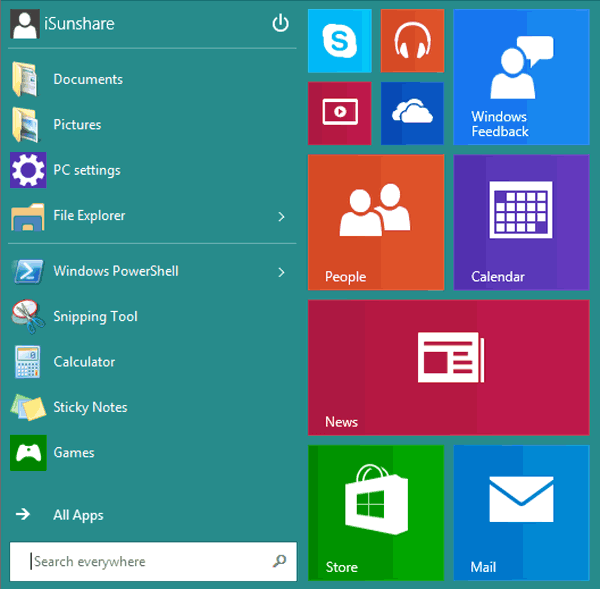
Comparing the following two pictures of Windows 10 Start Menu, you can conclude that the color and background of Start Menu can be changed. If you are interested in the method to realize this conclusion, this article will illustrate it in detail.
Pic. 1
Pic. 2
Steps to change Start Menu color and background in Windows 10:
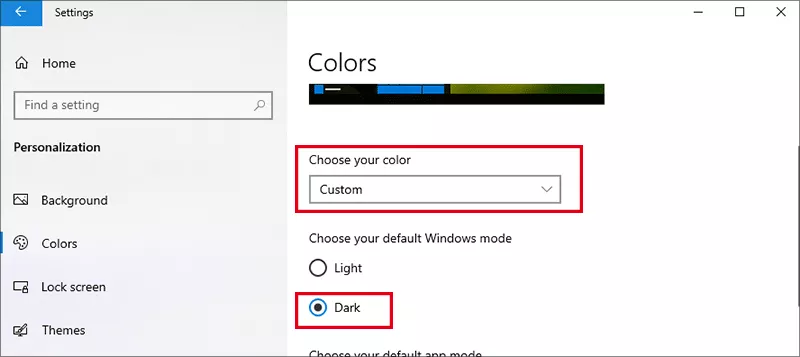
Step 1: Press Win + I to open Settings, then go to Personalization > Colors.
Step 2: Under Choose your color, pick Dark or Custom mode
Note:
1. Dark mode allows accent colors to apply to Start, taskbar, and action center.
2. Light mode disables those accent color options.
Step 3: Scroll to Choose your accent color section. Then pick a color manually or let Windows automatically pick an accent color from your background.
Step 4: On Show accent color on the following surface section, check the option--Start, taskbar, and action center (only available in Dark or Custom mode).
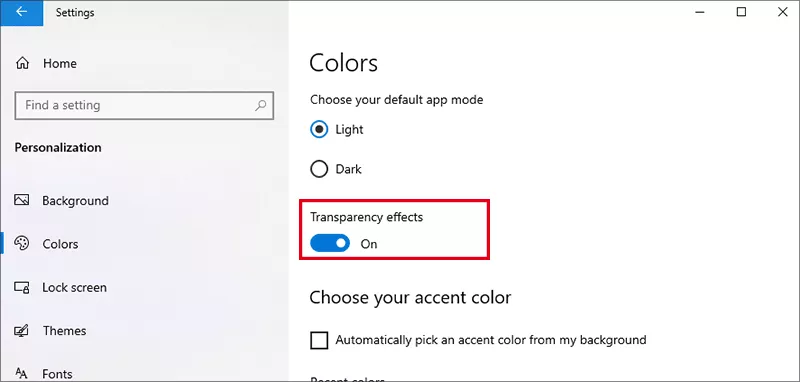
Optionally enable Transparency effects for a modern, translucent look
FAQs on Start Menu Color and Background in Windows 10
Q1: Can I use a wallpaper as the Start menu background?
No—Windows 10 limits Start menu backgrounds to solid colors tied to your theme. For image-based backgrounds, you'd need a third-party Start menu replacement.
Q2: Why does my Start menu color change after an update?
Accent colors can shift if you let Windows auto-pick them based on your wallpaper. To make colors stay consistent, pick one manually in the Personalization settings.
Q3: Is it possible to keep a dark Start menu with a custom accent?
Yes! Enable Dark mode, choose your accent, then toggle on the option to apply the accent to Start, taskbar, and action center for both aesthetics and visibility.
Conclusion
While Windows 10 has evolved beyond fully customizable tile backgrounds, you still have powerful options to personalize your Start menu using accent colors, transparency, and themes. For users wanting deeper control back, third-party tools like Open‑Shell provide advanced styling features.