To allow other people to access the files and printers you have shared in your Windows 10 PC on the network, you can turn on file and printer sharing, following the procedures below.
Video guide on how to turn on or off file and printer sharing in Windows 10:
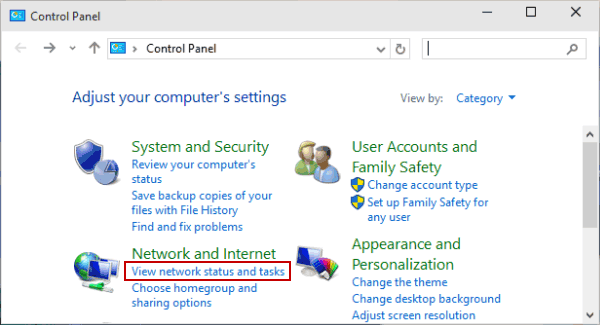
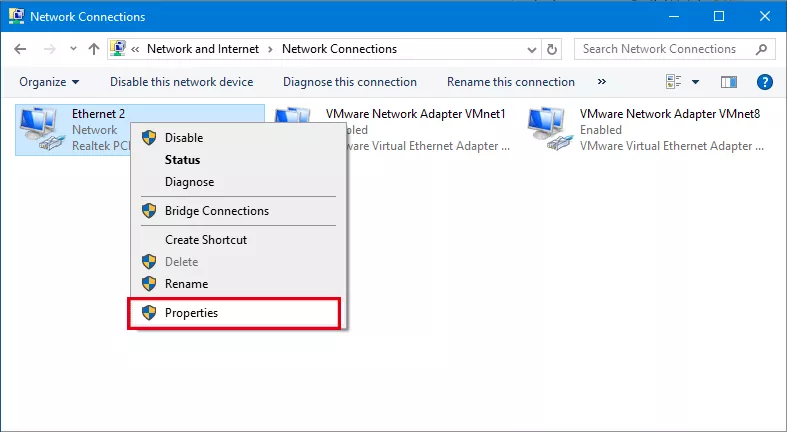
Step 1: Open Control Panel.
Step 2: Choose View network status and tasks under Network and Internet.

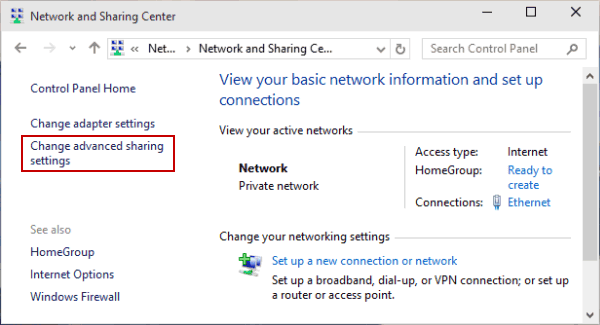
Step 3: Select Change advanced sharing settings in Network and Sharing Center.

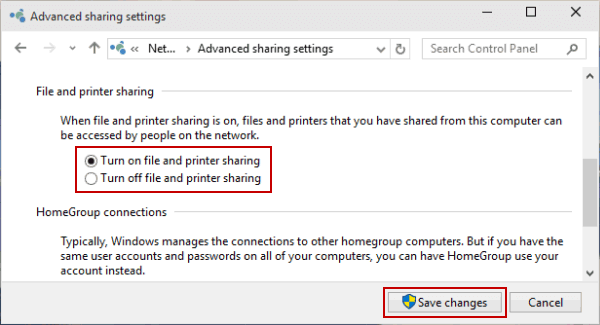
Step 4: Choose Turn on file and printer sharing or Turn off file and printer sharing, and tap Save changes.

Related Articles:
How to Reset Windows 10 Forgotten Password
How to Bypass Windows 10 Password Login with/without Password
Easy Guide to Reset Windows 10 Admin Password Like an Expert
4 Tips to Change Windows 10 Password without Knowing Current Password
Can't Sign into Microsoft Account Windows 10 | Account Locked/Blocked