By Achilles Hill | Last Updated
Whether you're jotting down thoughts or editing scripts, here's how to quickly turn on Windows 10 Notepad.
If you use notepad more often, I recommend you pin notepad to start menu, or add notepad shortcut to desktop.
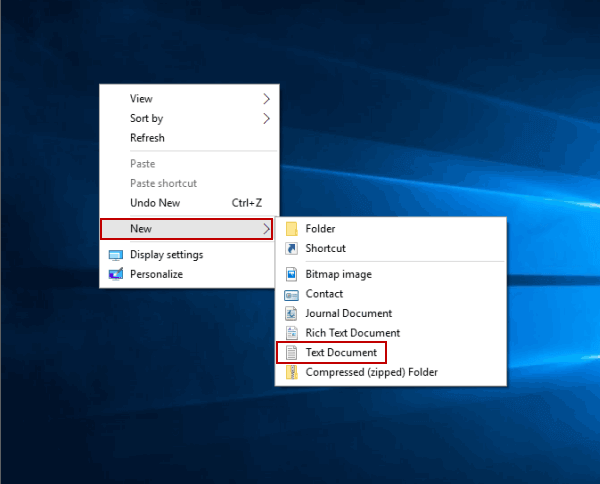
Step 1: Right-click blank area, point at New in the menu and select Text Document from the sub-list.

Step 2: Double-tap the new text document.
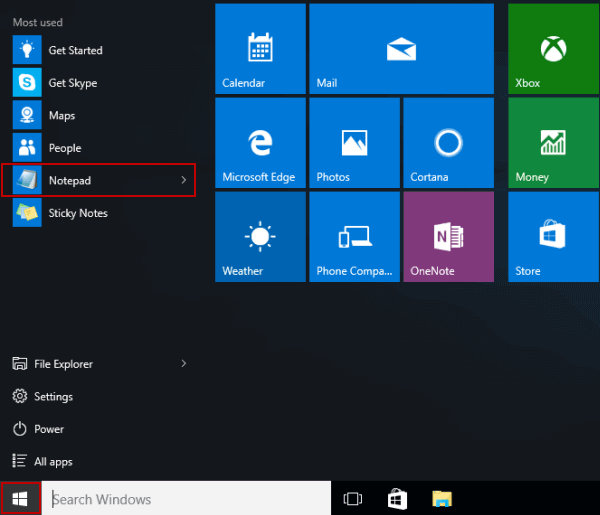
Click the Start button on taskbar to display the menu, and then choose Notepad on it.

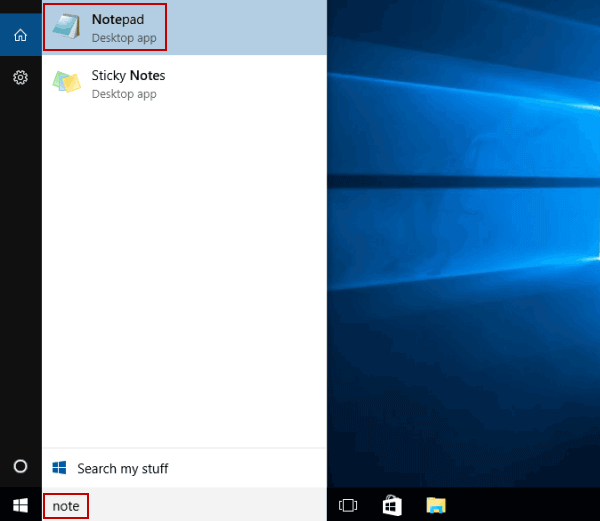
Type note in the search box, and tap Notepad in the result.

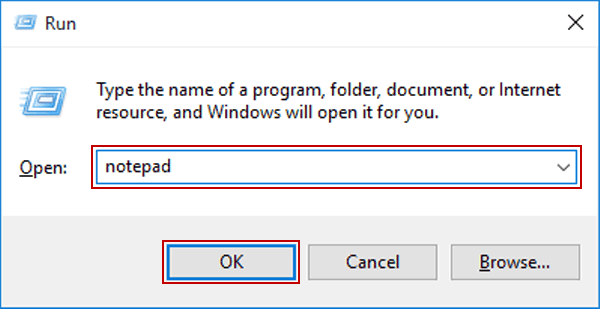
Launch Run, input notepad and hit OK.

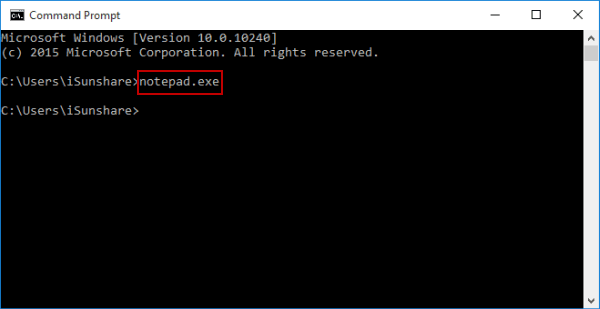
Start Command Prompt, type notepad.exe and press Enter.

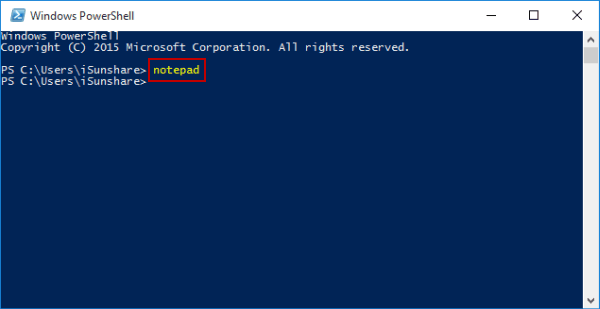
Access Windows PowerShell, input notepad and tap Enter.

Related Articles:
How to Reset Windows 10 Forgotten Password
How to Bypass Windows 10 Password Login with/without Password
Easy Guide to Reset Windows 10 Admin Password Like an Expert
4 Tips to Change Windows 10 Password without Knowing Current Password
Can't Sign into Microsoft Account Windows 10 | Account Locked/Blocked