We use cookies for personalizing content and ads and providing social media features. Your usage information on our website will be used for social media, advertising, and traffic analytics, or shared with our partners. Clicking "Accept" means you agree to use our cookies .
HEIC images are excellent for saving space, but they’re not always compatible with every device or editing tool. If you need better transparency support or wider compatibility, converting HEIC to PNG is a smart choice. In this guide, you’ll learn how to choose an online HEIC to PNG converter and how to convert HEIC to PNG free in just a few simple steps.
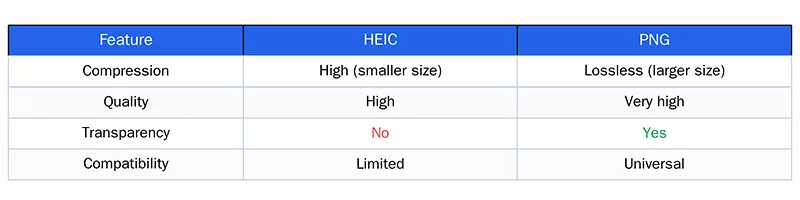
Here you can learn the core difference between HEIC and PNG.
HEIC is designed for compression. It is great for storage but terrible for compatibility. Most web browsers (especially older versions of Internet Explorer and Edge) and many CMS platforms (like WordPress or Jira) do not support HEIC uploads natively.
PNG is the king of the internet. Unlike JPEG, PNG uses lossless compression. When you convert to PNG, you do not lose a single pixel of data. Furthermore, PNG supports transparent backgrounds, which HEIC struggles with in cross-platform environments.
In conclude, PNG is better for editing and design, while HEIC is better for storage.
Why Choose Online HEIC to PNG Converter (Not via Software)
When you search for “how to convert HEIC to PNG”, there are dozens of answers, including the desktop applications to finish the job. But do you really want to install a program for a single photo conversion? Thus, the online converter is your superior choice with the following benefits:
1. Zero Installation Required
Online converters run in the cloud. Your CPU does the heavy lifting; you just need a browser. No risk of malware, no hidden adware, and no cluttering your registry.
2. Cross-Platform Magic
Whether you are on a Mac, a Linux machine, a Chromebook, or a tablet, a web-based tool works instantly. You don't need to worry about driver updates.
3. Speed for Bulk Conversions
Modern online tools can process ten or twenty HEIC files simultaneously. In the time it would take you to open a desktop app, an online converter has already finished the job.
Best Free Online HEIC to PNG Converters
There are many tools available, but not all offer the same speed, privacy, batch support, and quality. Below is a list of best converters with real differentiators.
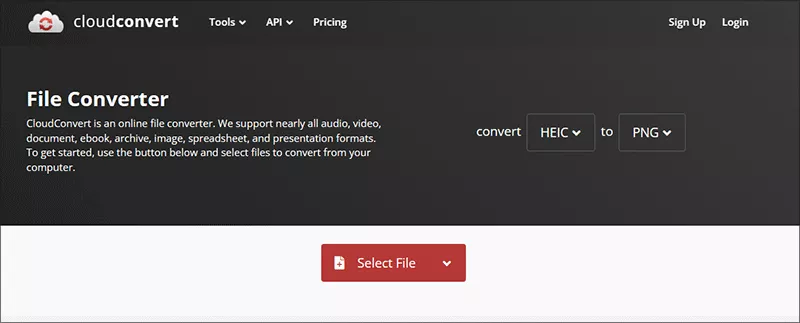
1. CloudConvert
CloudConvert is the online image converter which can deal with the images in different formats. There are advanced settings for your choice, including resolution, compression, and quality. It is highly recommended for the users who requires advanced controls and professional output.
Cons: Limited free conversions every day and has restrictions on the file size.
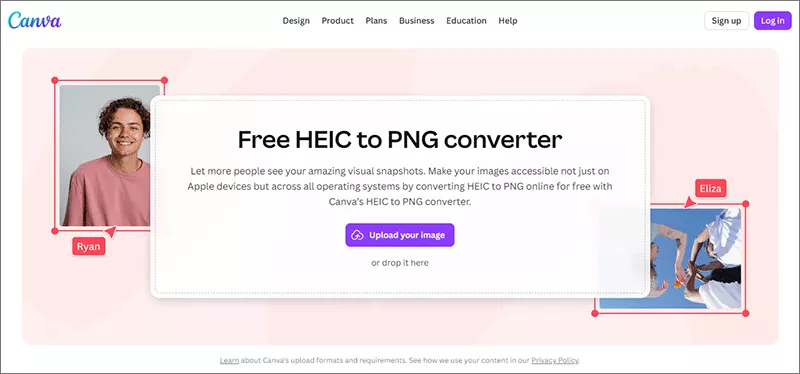
2. Canva HEIC to PNG Converter
Canva makes it easy to convert HEIC to PNG online for free. You can also edit the images in one workflow. This is ideal for designers who want editing and conversion in one place.
Cons: It is not optimized for bulk conversion.
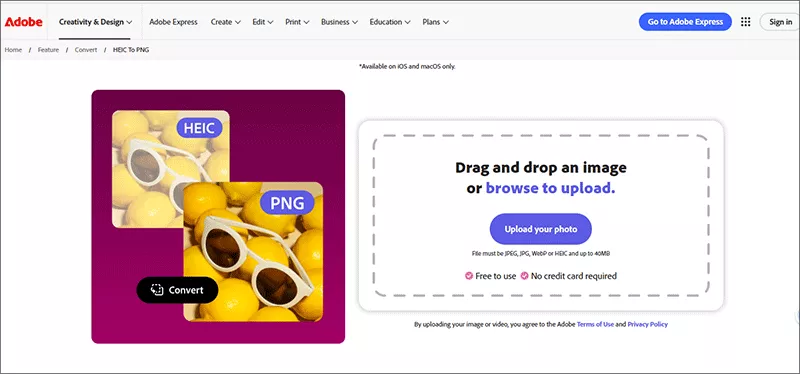
3. Adobe Express HEIC to PNG Converter
Adobe Express offers simple 3-step conversion with editing tools integrated. You can get high quality PNG output in minutes. This tool is best for high quality branding & design workflows.
Cons: it only supports on iOS and macOS only. Besides, the file size cannot over 40MB.
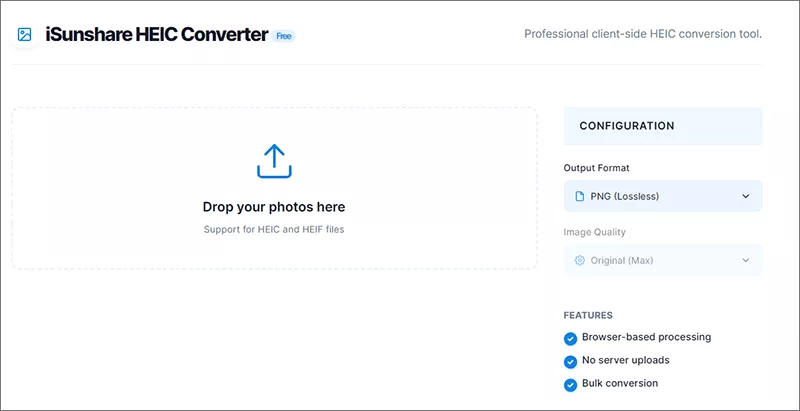
4. iSunshare HEIC Converter
iSunshare HEIC converter offers the secure and fast HEIC to PNG/JPG conversion with no limitation on file size and no daily limits. It is no need to sign up and registry during the whole process. Besides, no ads on the online conversion page. You can also batch convert HEIC to PNG files.
Cons: only supports to convert HEIC to PNG or JPG.
How to Convert HEIC to PNG Free in 5 Seconds
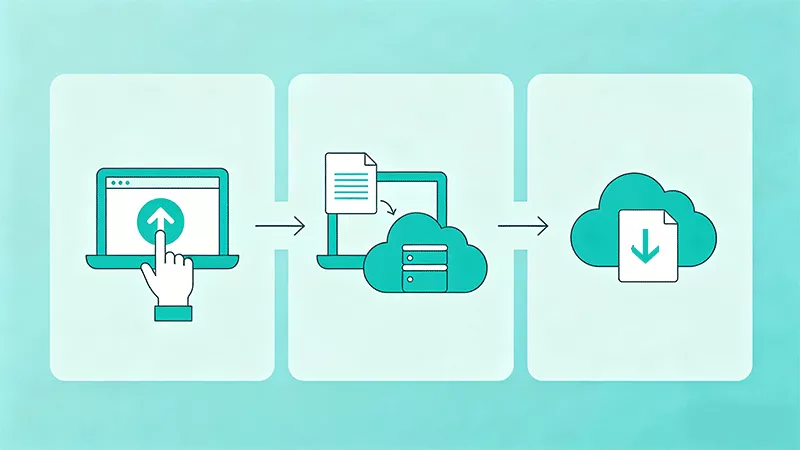
Using a dedicated online HEIC to PNG converter is easier than exporting a PDF. Here is a step-by-step workflow you can follow right now, no matter which online converter you select.
Step 1: Open your browser and navigate to a trusted online HEIC to PNG converter website.
Step 2: Upload your HEIC files. Most tools support drag-and-drop. You can upload one or a hundred.
Step 3: Select output format. Ensure "PNG" is selected. If you see a "Quality" slider, keep it at 100% to maintain the lossless advantage of PNG.
Step 4: Click "Convert." The server processes the image, stripping the HEIC compression wrapper and rebuilding it as a standard PNG.
Step 5: Download the ZIP or individual files. Within seconds, you have fully compatible, high-quality PNG images.
FAQs on Online HEIC to PNG Converter
Q: Is it safe to convert HEIC to PNG online?
Yes, but keep these tips in mind: Use trusted converters only; Avoid uploading sensitive images; Check if files are deleted after conversion. For maximum privacy, use tools like iSunshare HEIC Converter that process files browser-based.
Q: Are these online HEIC to PNG converters really free?
Yes, the above online converters are free to convert HEIC to PNG. If you want to choose converter by yourself, it is necessary to avoid the ones that ask for a credit card for a free trial; limit you to one conversion per day; watermark your output image.
Q: Does converting HEIC to PNG reduce quality?
No, PNG uses lossless compression, so image quality is preserved.
Q: Can I convert multiple HEIC files to PNG at once?
Yes, many converters support batch conversion.
Conclusion
Using an online HEIC to PNG converter is the easiest way to make your images more flexible and compatible. Whether you’re working on design projects or need transparency support, PNG is a powerful alternative.
Next time you see that. HEIC cannot open error message, don't panic. Just drag, drop, convert, and download.