We use cookies for personalizing content and ads and providing social media features. Your usage information on our website will be used for social media, advertising, and traffic analytics, or shared with our partners. Clicking "Accept" means you agree to use our cookies .
Pokémon GO has always encouraged players to get active by walking around to catch Pokémon, visit PokéStops, and participate in various in-game events. However, there are times when walking isn't an option — whether due to health reasons, bad weather, or simply wanting to play the game from the comfort of your home. Thankfully, there are ways to play Pokémon GO without walking, and in this guide, we'll explore safe and efficient methods to enjoy the game without needing to leave your house.
Is it possible to play Pokémon GO without going outside or anywhere? Yes, of course. You can play Pokémon GO without walking, moving and leaving your house. Many people make it done with the GPS location spoofer to simulate the real movement. In this way, they can catch pokemon easily at home.
How to Play Pokémon GO Without Walking on iOS
How do you move in Pokémon GO without walking on iOS devices? You can resort to the GPS location spoofer. iSunshare AnyLoca is such a tool that lets you spoof your GPS location on your iPhone without the need for jailbreaking. This is one of the safest ways to play Pokémon GO without walking because it changes your device's GPS coordinates, so it looks like you're walking around, even if you're sitting in one place.
iSunshare Reliable iOS Location Spoofer
No need to walk or leave your house.
No jailbreaking required.
Can be used to access region-specific Pokémon.
Several options to simulate your GPS movement in the game.
Step 1: : Download and Install iSunshare AnyLoca on your Windows or macOS computer. Use a USB cable to connect your iPhone to your computer and open the software.
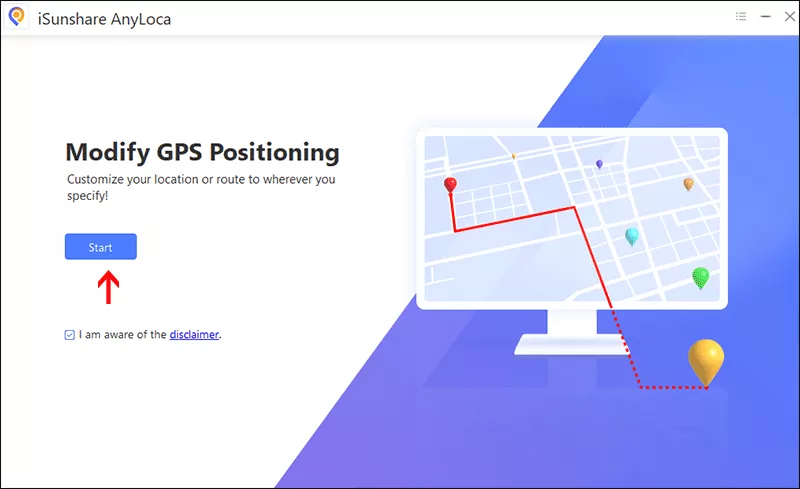
Step 2: Hit the Start button and choose your iPhone on the next screen. After that, click the Next button.
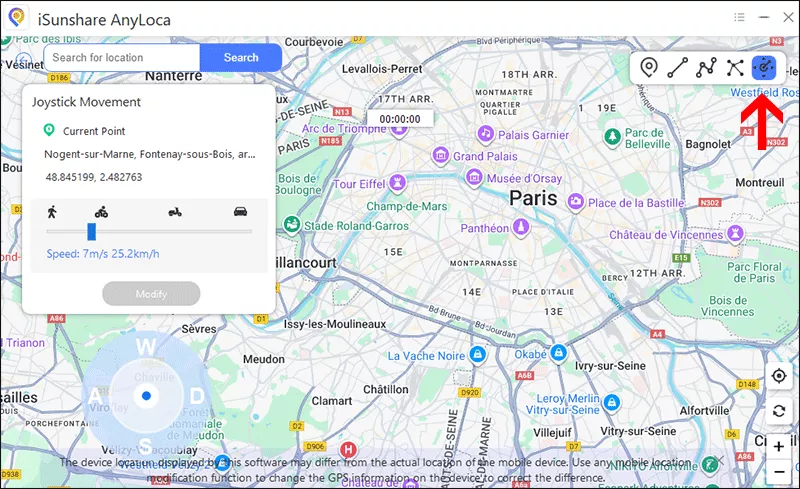
Step 3: Soon, you can view the different options on the top right corner of the Map. Just select Joystick mode to simulate movement to different locations on the map.
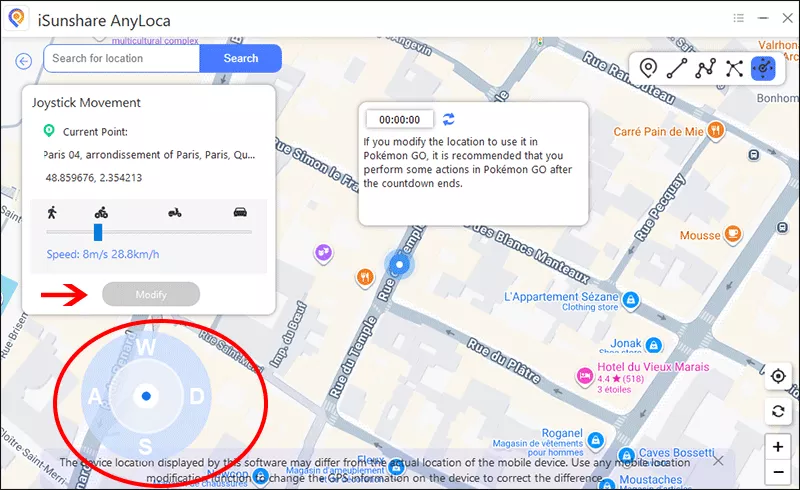
Step 4: Use the map to select the location you want to be in, or search for a specific place. Once you've selected your desired location, click the Modify button to begin the movement. During this process, you can change the direction by the virtual joystick.
How to Play Pokémon GO Without Moving on Android
If you're an Android user, you can use free location-spoofing apps like Fake GPS Location to play Pokémon GO without walking. These apps allow you to simulate being in different locations.
How to Use Fake GPS on Android to Play Pokémon GO Without Moving:
Step 1: Install a reliable location spoofing app such as Fake GPS Location from the Google Play Store.
Step 2: Go to Settings > About Phone > tap Build Number seven times to enable Developer Options.
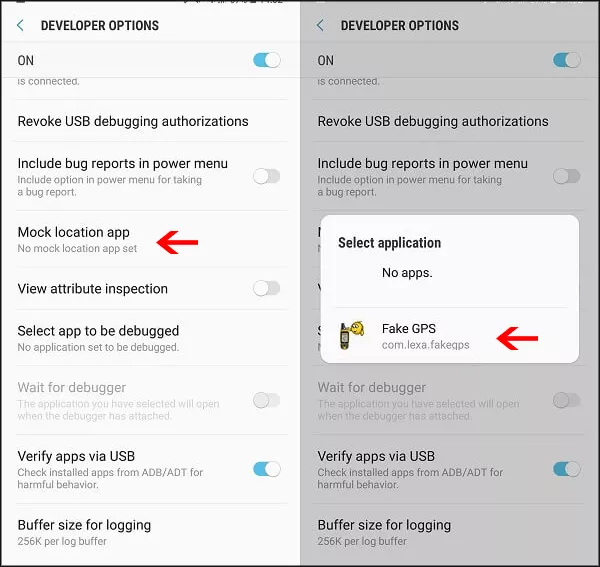
Step 3: In Developer Options, select Mock location app and choose Fake GPS.
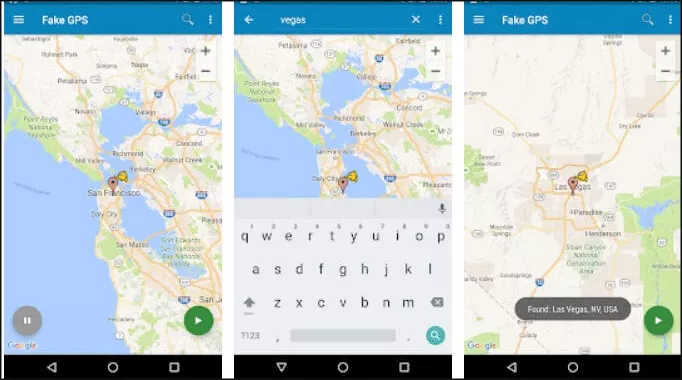
Step 4: Run the app and set your desired location from the Map.
Step 5: After setting the fake location, open Pokémon GO. The game will think you're in that location, even though you haven't moved.
FAQs on How to Play Pokémon GO Without Walking
1. Can I play Pokémon GO from home without walking?
Yes, you can use location spoofing tools like iSunshare AnyLoca (iPhone) or Fake GPS (Android) to simulate walking in the game while staying at home. This will allow you to catch Pokémon and interact with the game without moving physically.
2. Is using a joystick to move in Pokémon GO safe?
Using a joystick (via third-party apps like iSunshare AnyLoca) allows you to move in Pokémon GO without walking. However, this can violate the game's terms, and using it excessively can result in penalties like account bans.
3. Can I get banned for playing Pokémon GO without walking?
Yes, Niantic has measures to detect cheating, including location spoofing. If you are caught frequently spoofing your location or using cheats, your account could be temporarily or permanently banned.
Conclusions
Playing Pokémon GO without walking is possible with the help of tools like iSunshare AnyLoca or Fake GPS. These methods let you enjoy the game from the comfort of your home while still interacting with the world of Pokémon. However, it's important to use these tools responsibly to avoid penalties, such as account bans, from Niantic. Enjoy your Pokémon adventure, but remember to play fair!